
Model Context Protocol Explained: How MCP Connects LLMs to Tools?
The Model Context Protocol (MCP) is a standardized, open protocol designed to solve the "N x M" integration problem in AI—connecting N different LLMs or AI agents with M different external tools, data sources, and services.It acts as a universal language or a standardized interface (like a USB-C port for AI) that enables an LLM to reliably discover, access, and execute external functions in real time.
Core MCP Components
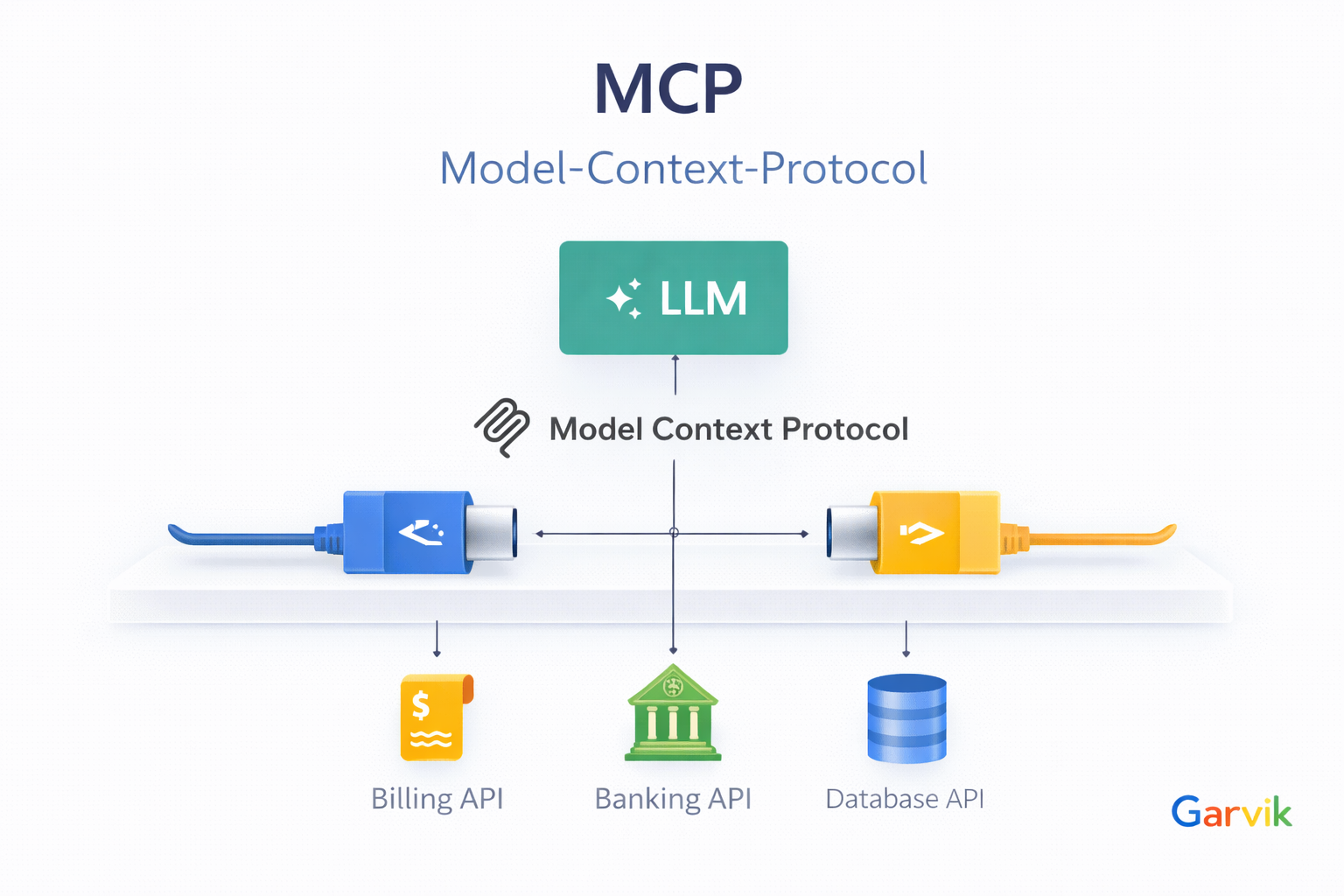
🏗️ MCP is built on a client-server architecture, typically using JSON-RPC 2.0 messages over a transport layer (like STDIO for local or HTTP/SSE for remote connections).
| Component | Role | Description |
|---|---|---|
| MCP Host | The top-level application or environment that houses the LLM and the client, like an orchestrator. It handles the user interaction. | A custom AI chatbot, an AI-enhanced IDE (like Cursor), or a conversational AI platform. |
| MCP Client | AI applications, autonomous agents, or development tools are examples of Code/Implementation within the Host that manages the connection to MCP servers. It translates the LLM's requests into MCP format and server responses back to the LLM. MCP clients request data or actions, and MCP servers provide trusted, authorized responses from their connected data sources. | Example would be the McpToolset class in the Java ADK that implements the MCP client role to connect to MCP servers. |
| MCP Server | MCP servers act as secure bridges to various systems. They expose a set of capabilities (Tools, Resources, Prompts) and connect to a real-world system (e.g., a database, an API, a file system). This enables AI tools and agents to go and perform actions in real-time. | A server providing database_query or send_email tools. |
| Transport Layer | The communication channel between the MCP Client and MCP Server, which can be local (STDIO) or remote (HTTP/SSE). | STDIO for local connections or HTTP/SSE for remote connections. |
Benefits of Using MCP
- Interoperability MCP provides a standardized way for different LLMs and tools to communicate, reducing the complexity of integrations.
- Scalability Easily add or swap out tools and services without changing the core LLM logic.
- Flexibility Supports various transport layers and can be adapted to different architectures and environments.
- Real-time Functionality Enables LLMs to access up-to-date information and perform actions in real time.
- Extensibility New tools, resources, and prompts can be added to MCP servers as needed, enhancing capabilities over time.
🛠️ The Tool Interaction Flow
The typical flow of interaction between an LLM and external tools via MCP is as follows:
- Tool Discovery The MCP Client requests the list of available tools from the MCP Server using the mcp_getTools method.
- Tool Selection The LLM selects the appropriate tool based on the user's query and the available options.
- Tool Invocation The MCP Client sends a request to the MCP Server to invoke the selected tool using the mcp_invokeTool method, providing necessary parameters.
- Tool Execution The MCP Server executes the requested tool and returns the result to the MCP Client.
- Response Handling The MCP Client processes the response and presents the result to the user through the LLM.
Why MCP is the Right Choice for Enterprises
MCP addresses critical enterprise requirements for scalability and cost-efficiency. By enabling selective tool invocation, the protocol significantly mitigates data transmission overhead and avoids the common pitfall of context bloat. Furthermore, its extensible architecture allows AI agents to integrate seamlessly with legacy enterprise systems, providing a future-proof foundation for adaptive AI solutions. For organizations prioritizing maintainability and operational efficiency, MCP offers a standardized path to production-grade AI.
Context-Bloat:
In an enterprise context, connecting to large, general-purpose MCP servers often introduces
irrelevant data, leading to context bloat. To maintain precision and cost-efficiency,
organizations should instead deploy private, domain-specific MCP servers. By exposing
only the tools and data sources required for specific use cases, these private servers ensure
that the model remains focused with minimal token overhead, effectively reducing operational
costs.
Ready to explore the next part of the MCP journey?
Check out the guide on MCP Client/Server
Architecture
to see how to use MCP with voice and chat.